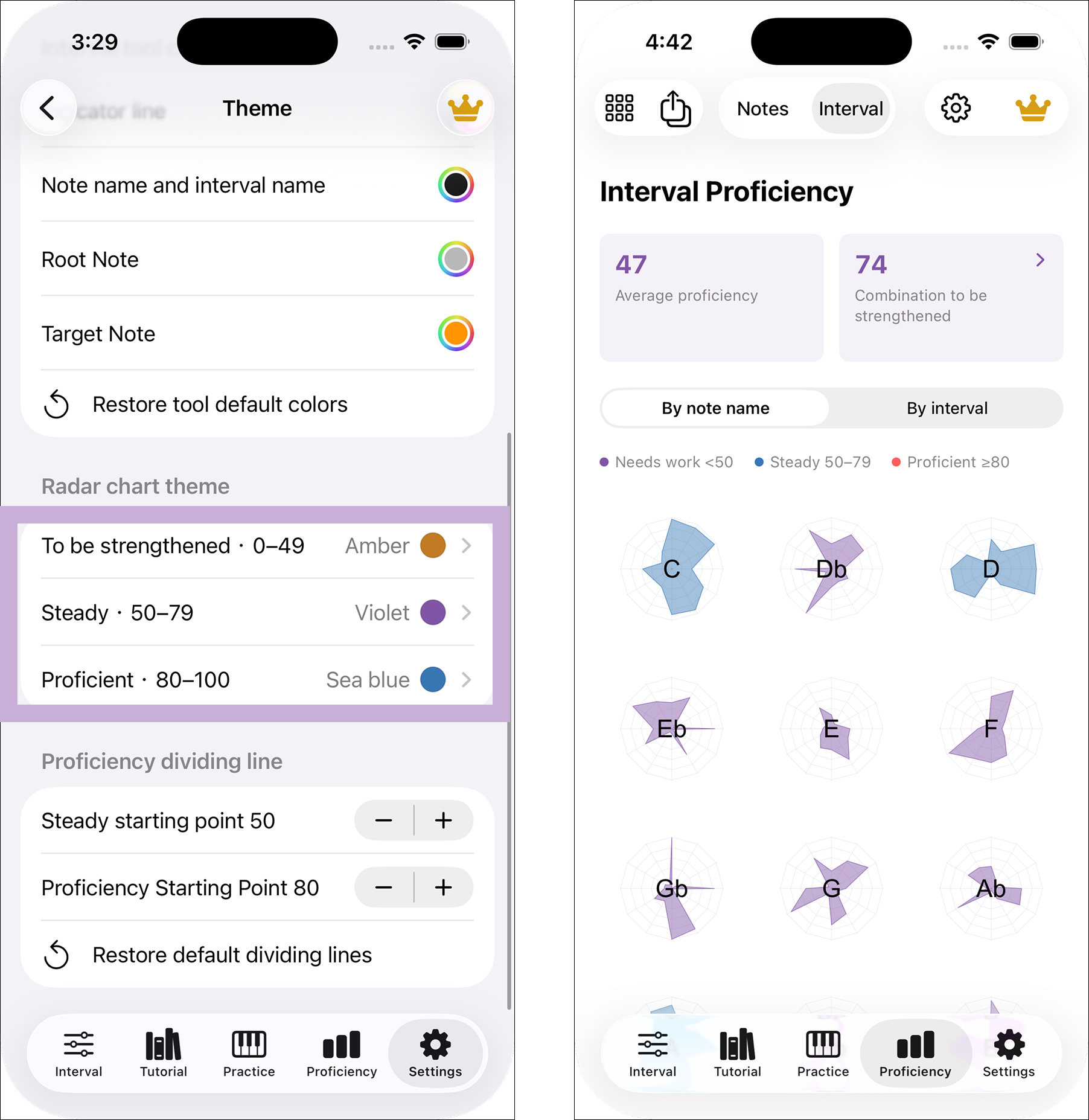

Twelve roots and twelve intervals
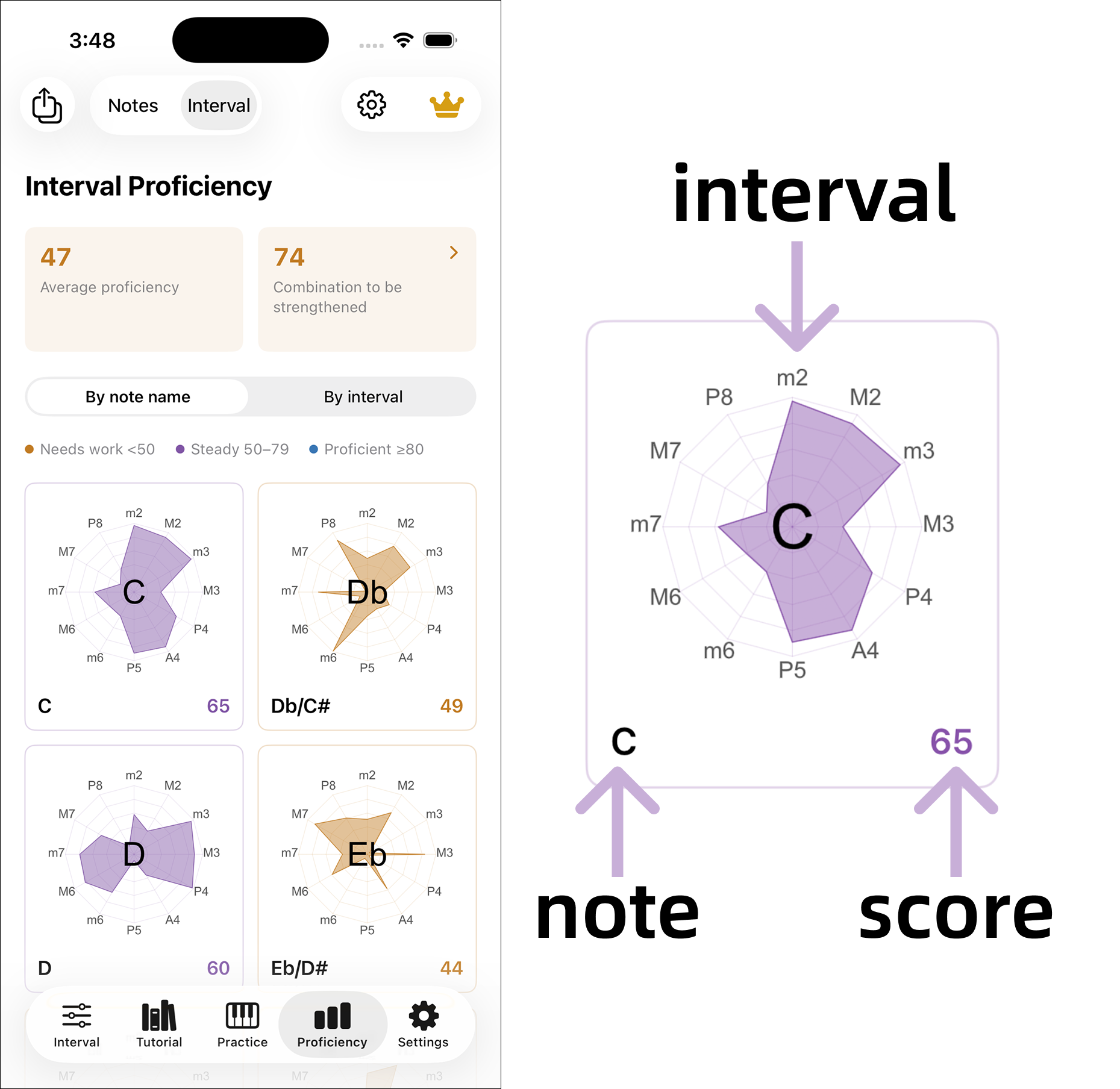
Interval proficiency stores a score for each root and interval combination. C to a minor second and D to a minor second are separate entries. Twelve roots times twelve interval distances give 144 entries; note proficiency is tracked separately.
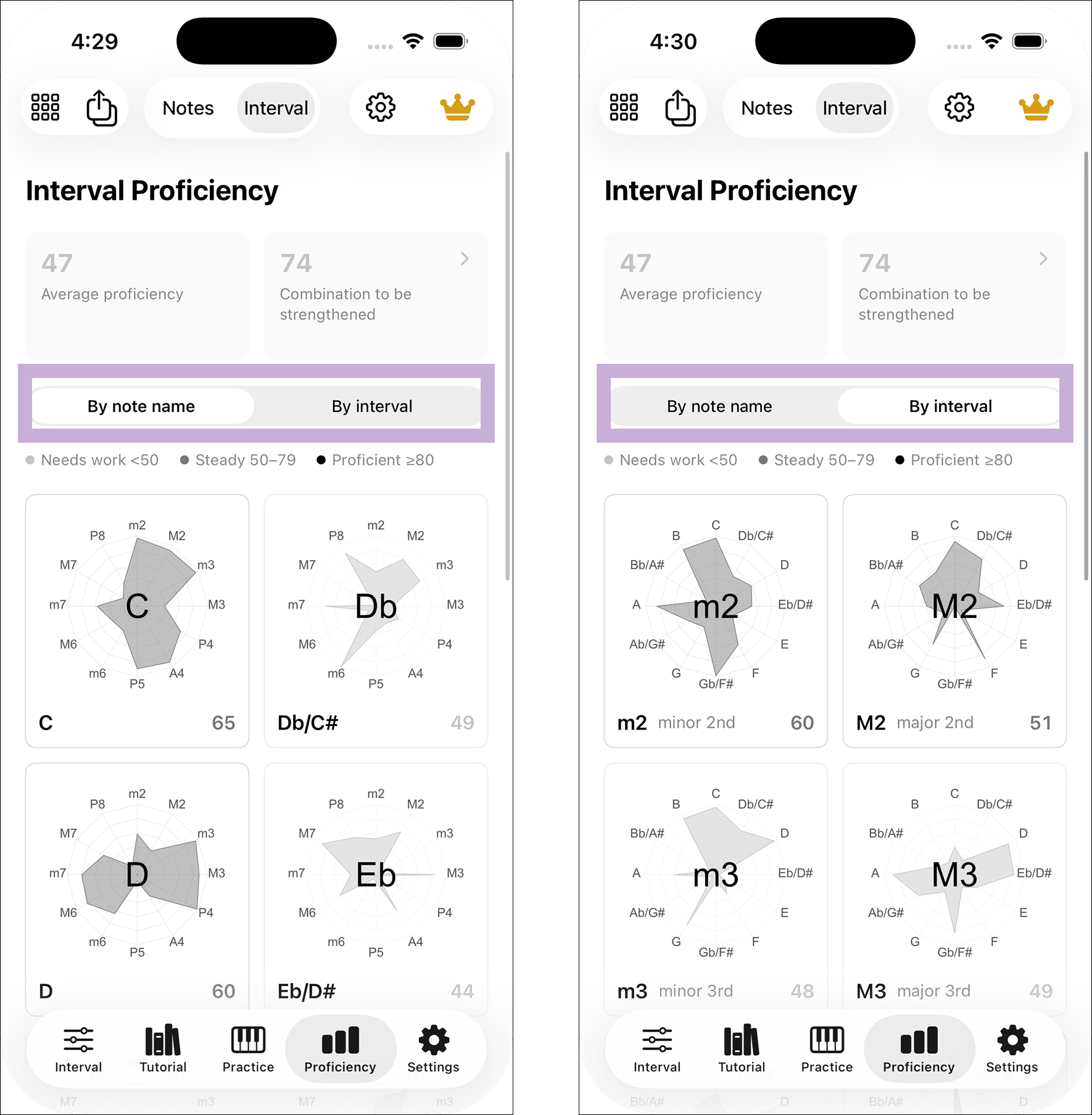
Group by root or interval
Grouping by Note fixes one root per card and compares its twelve intervals. Grouping by Interval fixes one interval and compares all twelve roots. Both views show the same underlying scores.
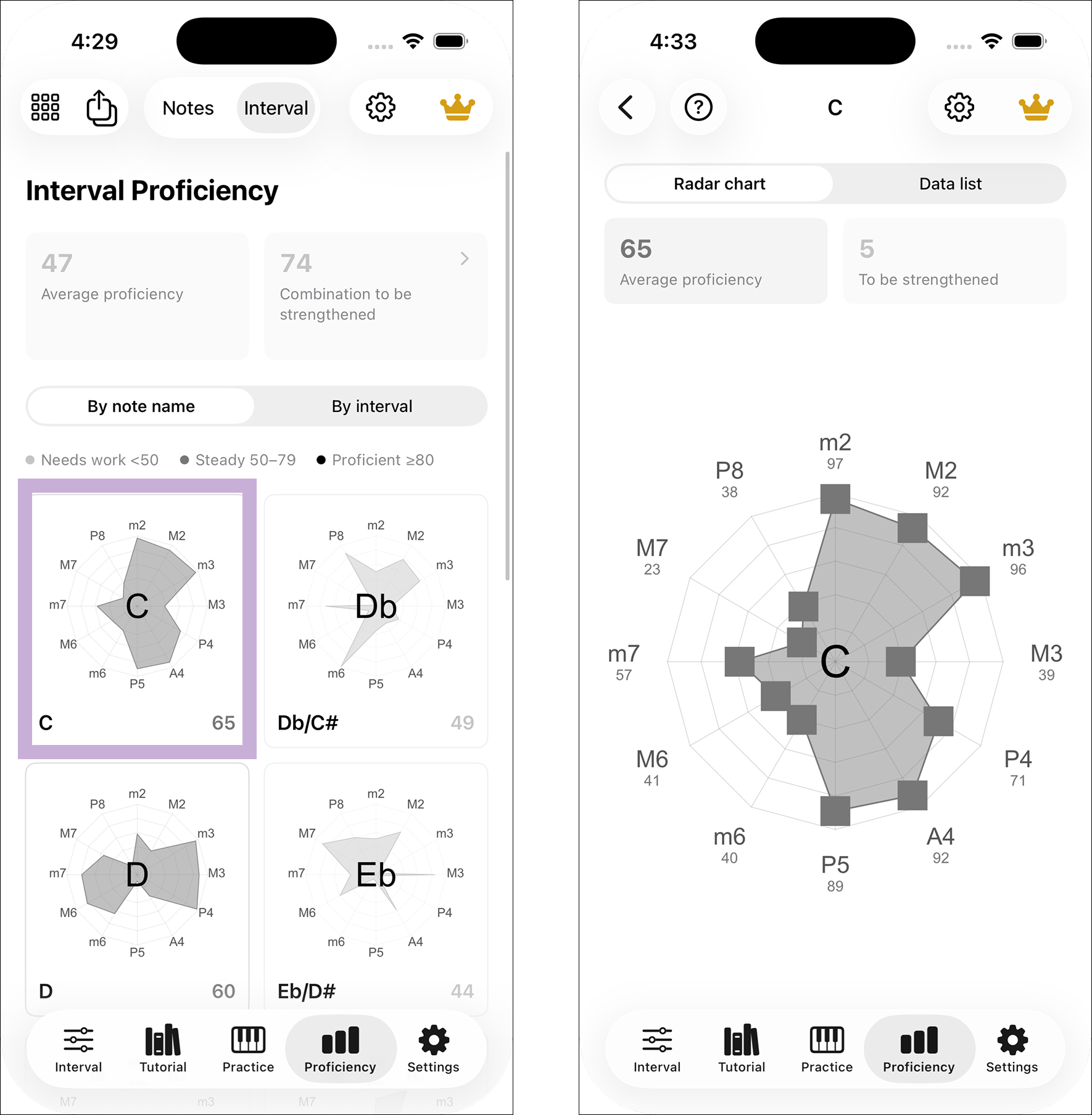
Open the radar detail
Open a card to inspect its twelve scores. On an interval card, each radar direction is a root; on a root card, each direction is an interval. Points farther out have higher scores. Scores can also be edited here.
Change chart size
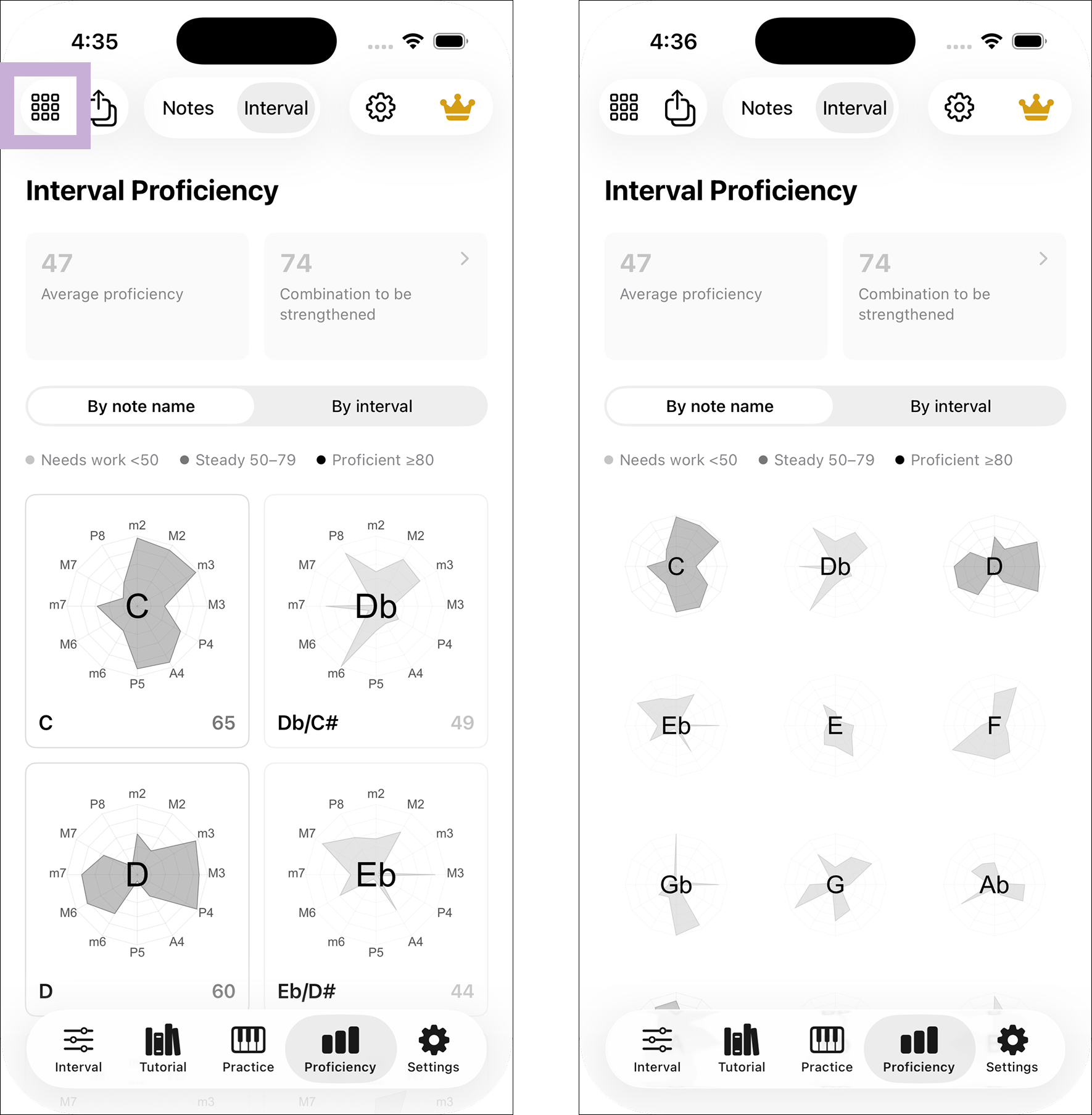
Use the grid control at the top left to display one, two or three charts per row. The small view hides extra labels so you can compare more groups at once.
Set a starting score
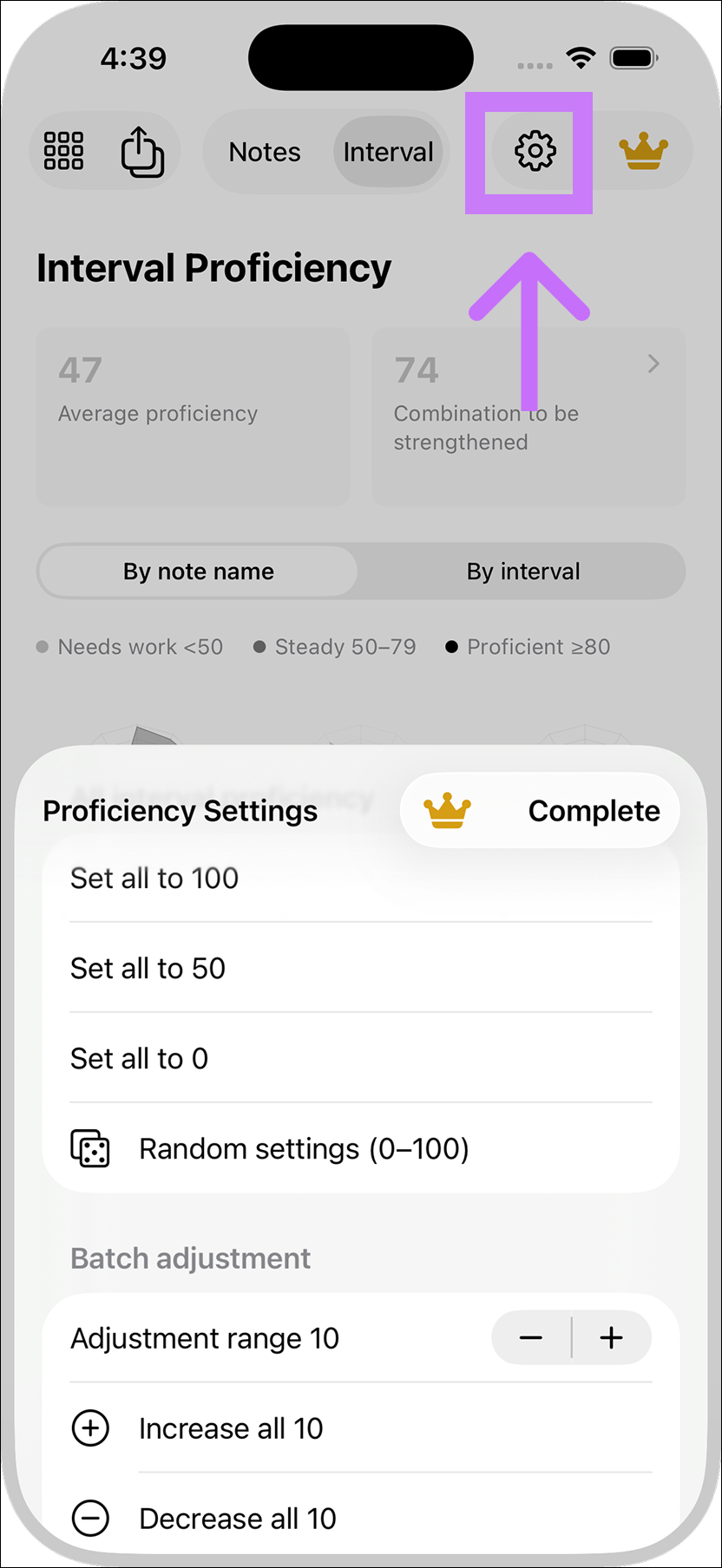
The gear control can set all 144 combinations to 100, 50 or 0, or give each a random score from 0 to 100. This replaces existing interval scores without changing note scores. The default starting score is 50.
Use colors to scan scores
In Settings > Theme > Radar Chart Theme, choose colors for Needs Work, Progressing and Proficient. Color changes affect display only.