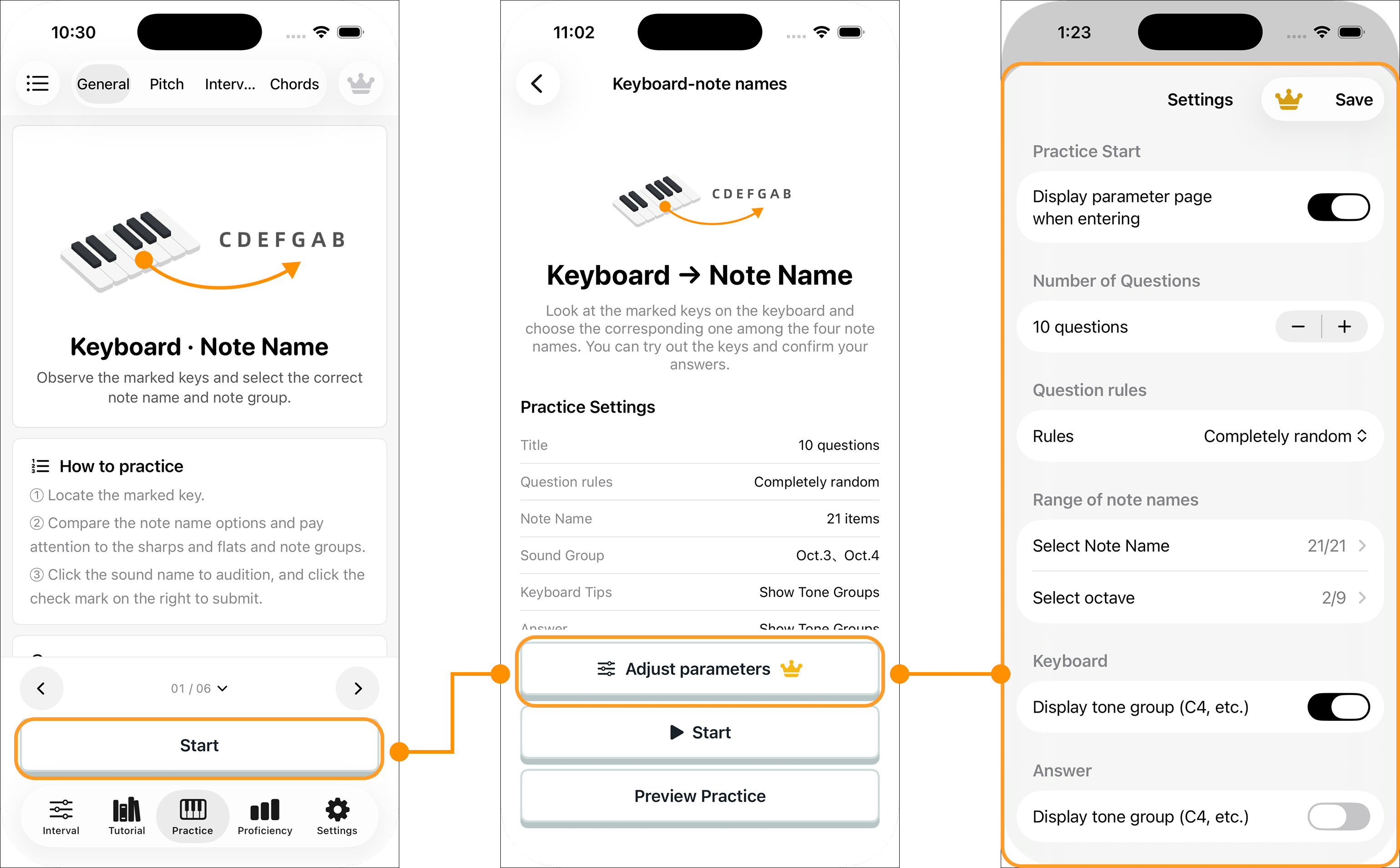

Start with a goal
The practice screen groups exercises into General, Interval Focus, Pitch and Chords. General builds the link between keys, note names and intervals. Interval Focus repeats one interval family. Pitch connects a single sound to a key or name. Chords train recognition of chord notes and sounds.
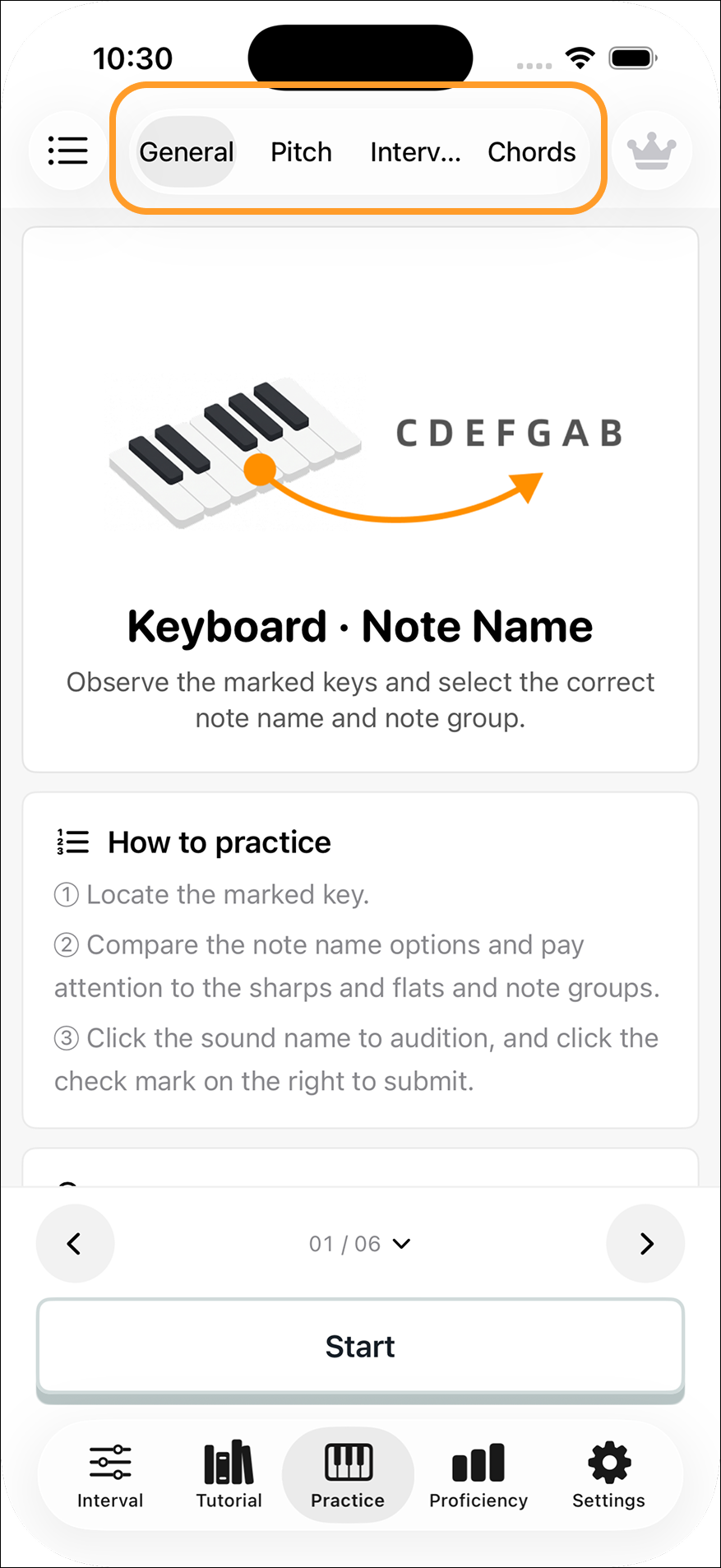
Browse cards or the full list
The detailed card view explains each question type and its answer steps. Use it when trying a new exercise. The list shows all categories at once for faster access when you already know what to practice.
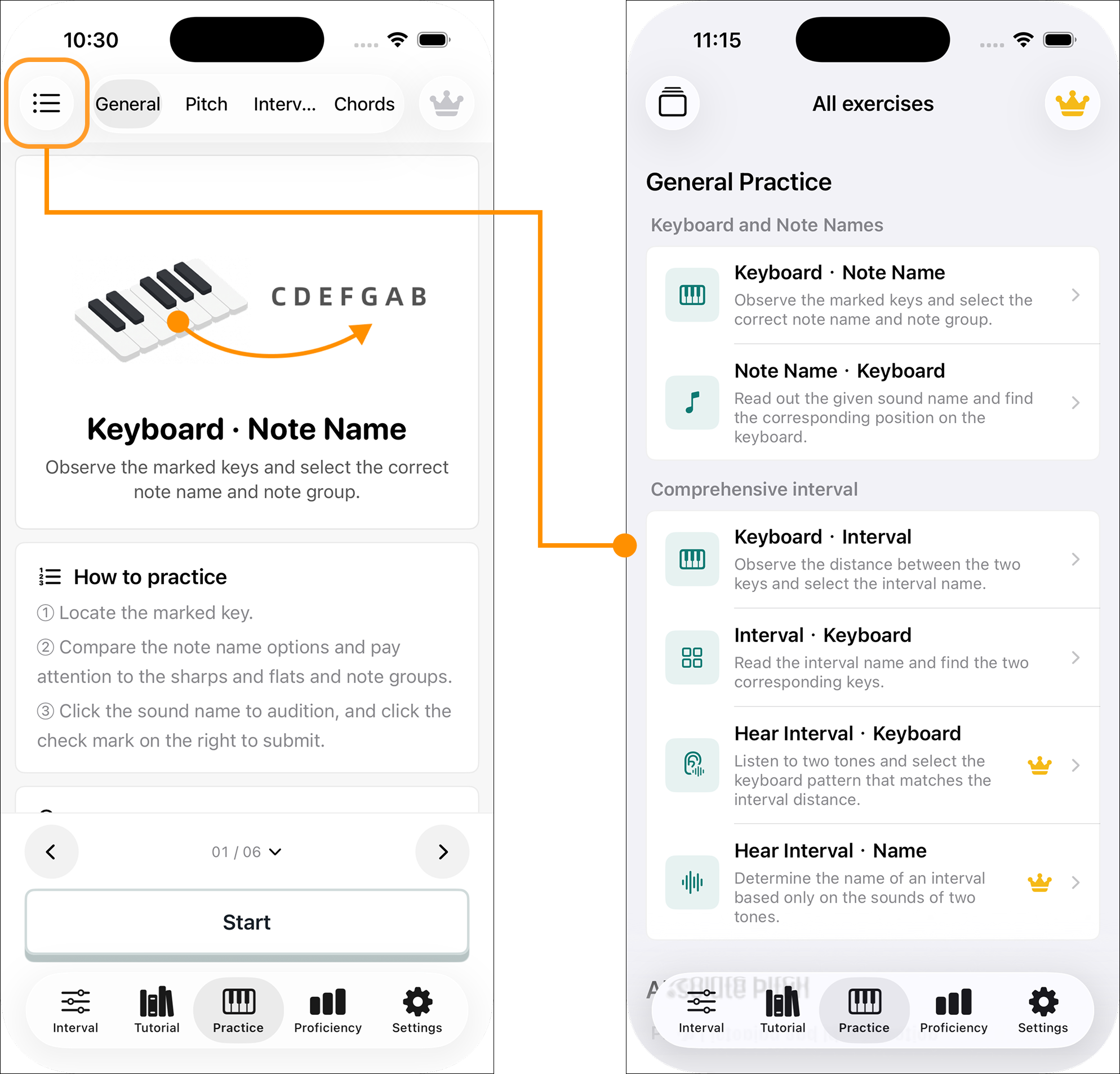
Read the direction of a question
Use the arrows at the bottom of a detailed card to browse exercises. The left side of a title is the clue; the right side is the answer. For example, Keyboard to Note Name starts with a marked key, while Hear Interval to Name starts with two sounds.
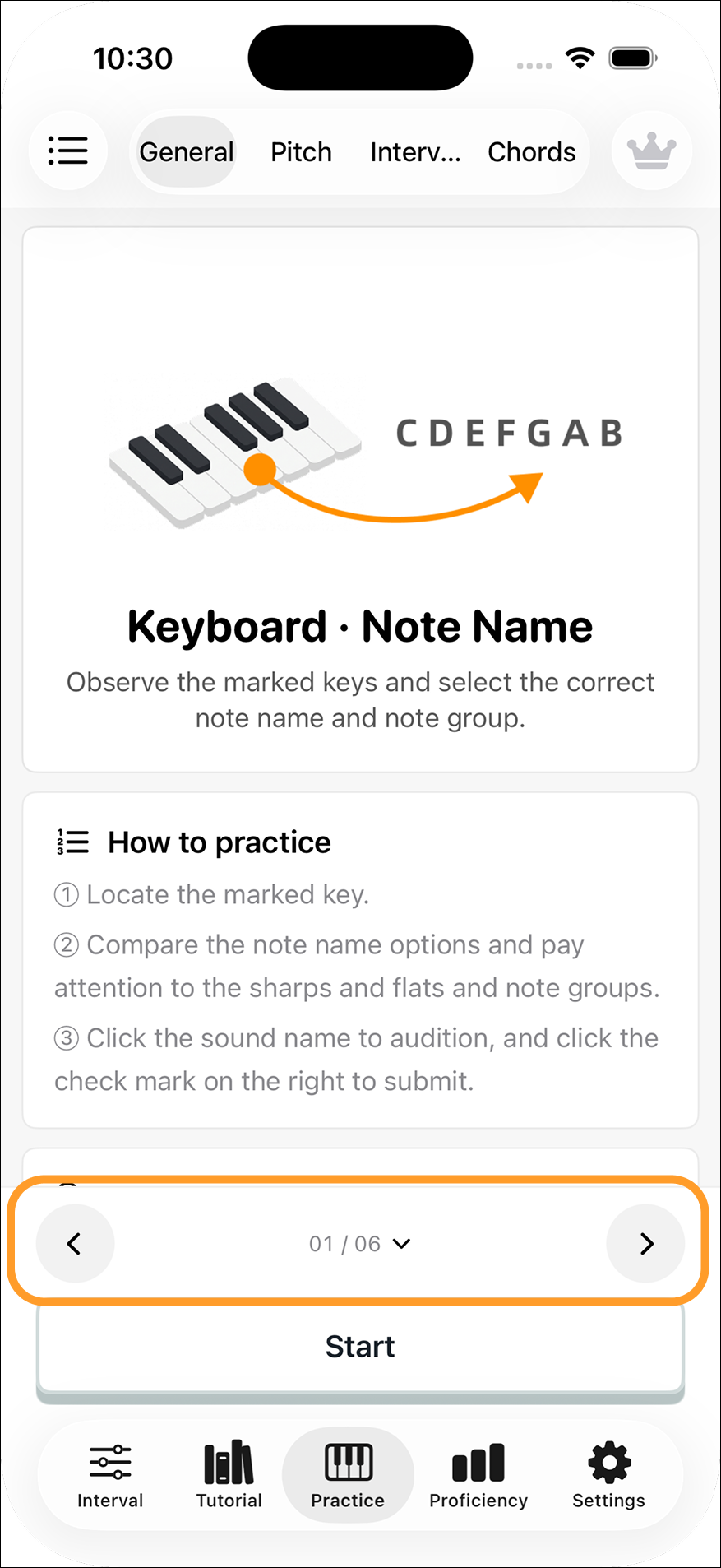
Set the parameters
Open Adjust Parameters before a round or from the exercise settings. Choose question count, random or proficiency-based selection, and the notes, octaves or intervals that may appear. Available controls depend on the exercise.
Audio questions can play automatically; some interval questions offer melodic or simultaneous playback. You can control automatic advances after correct and incorrect answers, whether a timer is shown, and how results affect proficiency. Changing the question count, selection rule or range during a round may restart it.